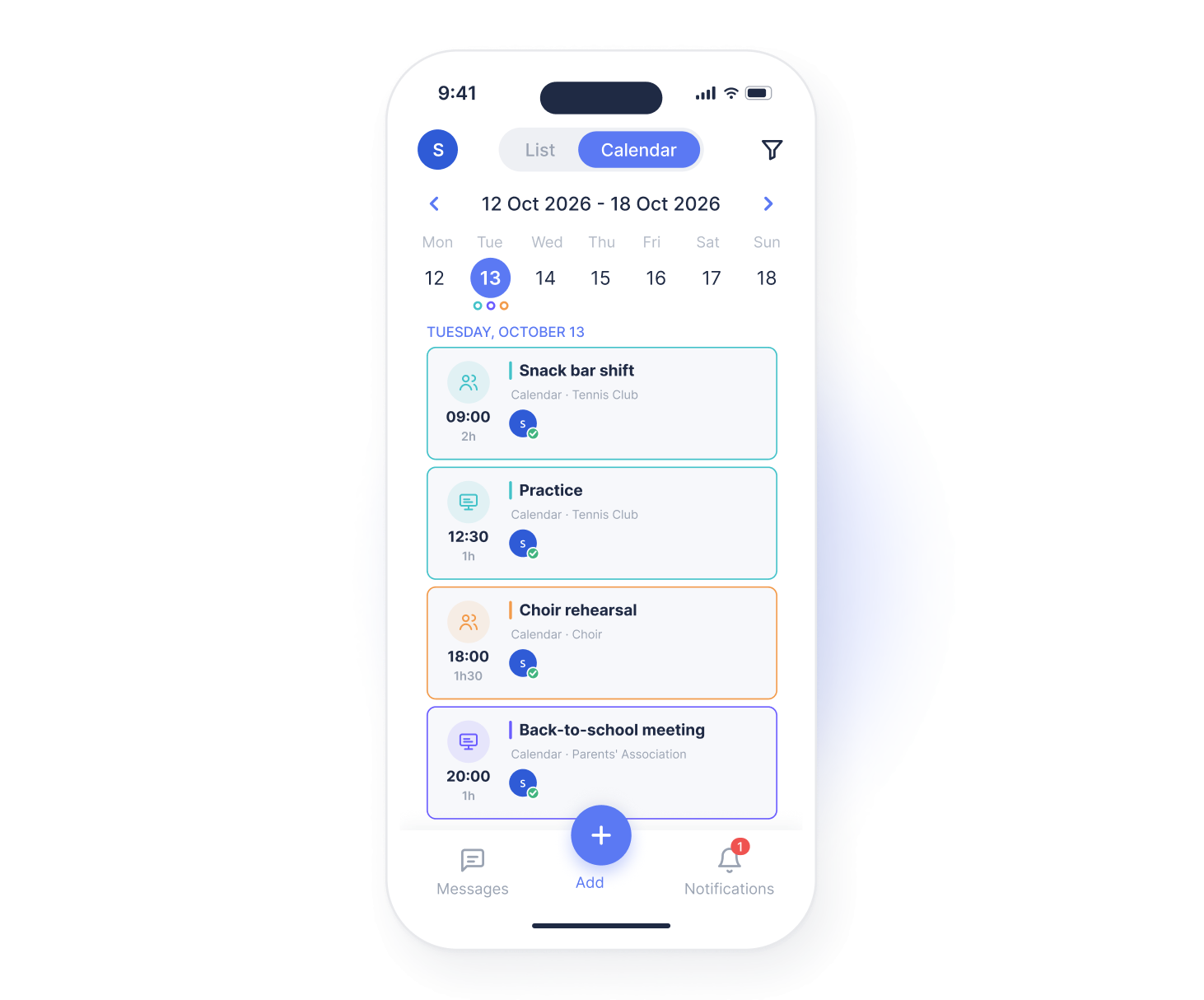
🤝 Assign volunteers to shifts and activities in a few clicks
📅 View schedules by day, week, or month
🎨 Organize activities clearly with colors and label
🔔 Instantly notify volunteers when plans change


❤️ Associations & nonprofits — coordinate volunteers and activitie
🏘️ Community groups — manage recurring activities and events
🏫 Schools & clubs — organize volunteers, sessions, and supervision
🎉 Event teams — plan setup, on-site shifts, and coordination
🔐 Control who can view or edit the schedule
🔗 Share the calendar with a simple link or invite volunteers by email


❌ Avoid organizational mistakes with a volunteer scheduling tool that clearly displays volunteer availability, absences, and time off for each member. When assigning a task, shift, or responsibility, conflicts are instantly visible.
🌞 Volunteer scheduling is fully integrated: requests are centralized, pending or approved, and availability is always up to date.
👉 Plan faster, with fewer errors and more peace of mind.
❓ How much does volunteer scheduling software like Joynit cost for a nonprofit?
One flat fee per organization, not per user: the free plan covers up to 5 events a month, and paid plans start at $19 per month. Volunteers who view the calendar or sign up for shifts never count toward your plan; only organizers do. Start with a free 15-day trial, no credit card.
See pricing
❓ Do volunteers need to create an account?
No. You share the calendar with a link and volunteers can see upcoming shifts and sign up for them without creating an account. Organizers and regular team members who assign or edit shifts join with any email address: Gmail, Outlook, iCloud or a work address.
❓ How do I assign a volunteer to a shift?
Create the shift, activity or event, then assign one or more volunteers in a few clicks. Their availability and time off are visible as you assign, and conflicts show up right away. Each volunteer gets a notification on their phone and sees the shift in their own calendar.
❓ How does volunteer availability work?
Volunteers mark when they’re available or away, and you can collect availability for a given date before scheduling. Everything stays in the same calendar, so you never schedule someone who isn’t there.
❓ Can volunteers see their schedule on mobile?
Yes. Joynit works on the web and on the iOS and Android apps, with a notification for every new or changed shift. Volunteers can also sync their shifts with Google Calendar, Outlook or Apple Calendar.
❓ Can I control what each volunteer sees?
Yes. You decide who sees the whole calendar, part of it, or only their own shifts. Useful when several teams or ministries share one calendar, or when you work with occasional volunteers.
❓ How long does it take to set up?
A few minutes. Create your calendar, invite your team by email, share the link with volunteers and start scheduling. No training needed.