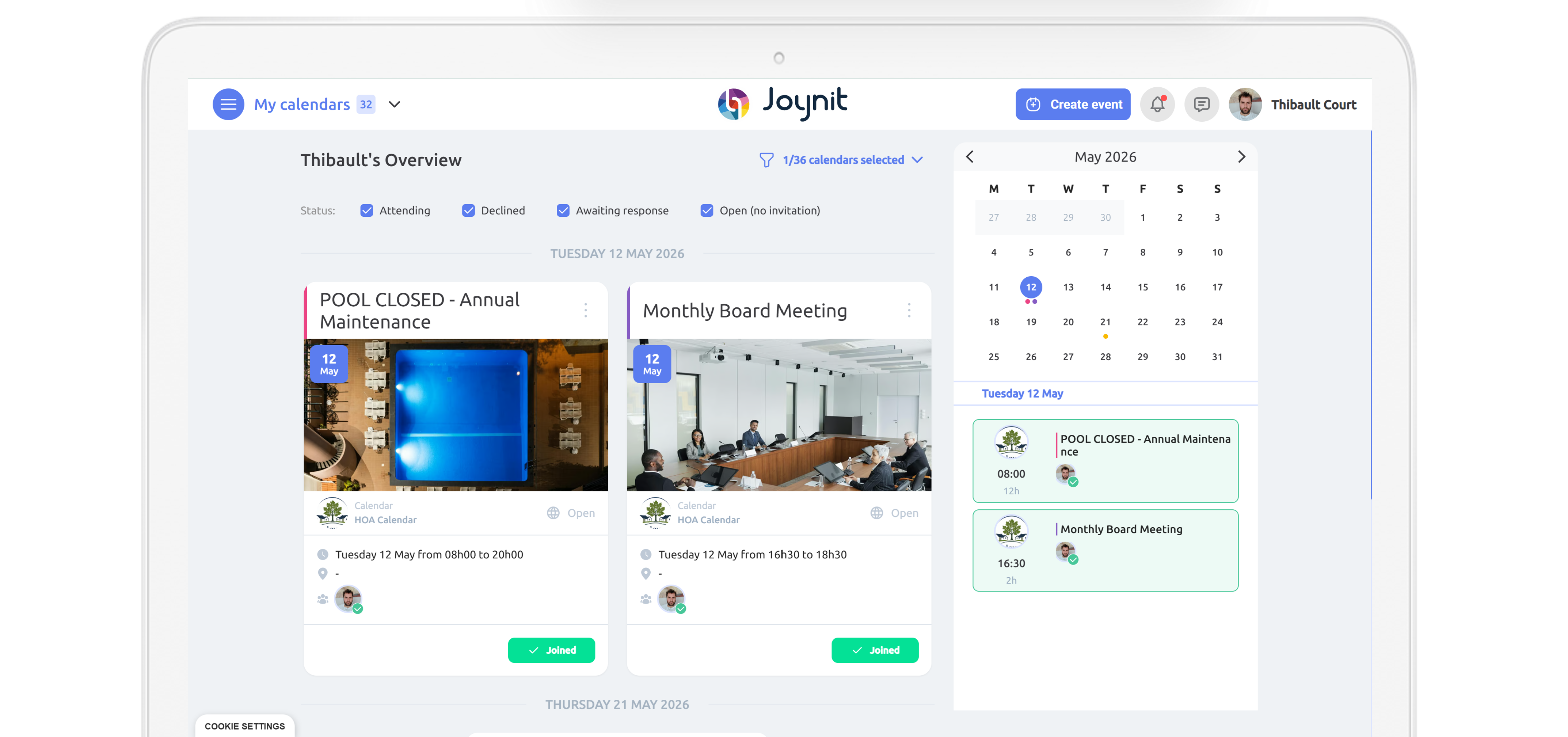
A shared calendar is a planning tool that allows multiple people to access the same calendar, add events, and see availability in real time.
Unlike a personal calendar, it is designed to organize activities for multiple people in a clear, centralized way.
A shared calendar is sometimes also called a collaborative calendar, as it follows the same principle: a shared view of events, accessible to all authorized users.
In practice, a shared calendar allows you to:
📌 Centralize information (meetings, events, bookings, shifts) in a single calendar
👀 Avoid scheduling conflicts thanks to shared visibility
🤝 Collaborate more easily, without endless email threads or spreadsheets
🔄 Update events in real time, so everyone always has the latest information
A shared calendar is used by teams, nonprofits, and organizations whenever there is a need to coordinate people, locations, or shared resources.
A shared calendar is first and foremost a way to stay organized together.It replaces informal tools (whiteboards, emails, chat messages) with a reliable, structured, and accessible solution that adapts to different use cases:
👉 This versatility that makes the shared calendar a central tool of collective organization. shared calendar a


A shared calendar is based on a simple principle: a single calendar, accessible to multiple users, that updates in real time.
Each authorized person can view events, add information, or update the schedule according to the permissions assigned to them.
The goal is not to add complexity, but rather to make organization smoother, clearer, and more readable for everyone.
In practice, a shared calendar works around a few key steps:
A shared calendar is created for a team, a nonprofit, or an organization.
It can represent a project, a service, a location, or a shared resource.
Events (meetings, appointments, bookings, shifts, on-call duties) are added directly to the shared calendar.
Any update is instantly visible to other users.
A shared calendar lets you define who can view, add, or edit events.
This ensures clear organization, with no risk of mistakes or accidental deletions.
The shared calendar is accessible online from a computer, tablet, or smartphone.Each user always sees the most up-to-date version of the schedule.
By centralizing information and making it accessible to everyone, a shared calendar:
👉 It’s this simplicity that makes the shared calendar an essential tool for collective organization, in any context.
Personal calendar tools are built around an individual user.
Sharing is added later to let others see availability or events.
In this model, the calendar remains tied to a person or an account.
It helps with visibility, but it is not designed to structure collective organization.
A shared calendar, by contrast, is designed from the start as a shared object.
It belongs to a team, a group, or an organization — not to an individual.
Events, time slots, or resources are created collectively and then assigned to people, locations, or roles.
This approach supports coordination at scale without relying on a single “owner”.
In short, a shared calendar is not a personal calendar that happens to be shared.
👉 It is a collective planning object by design.

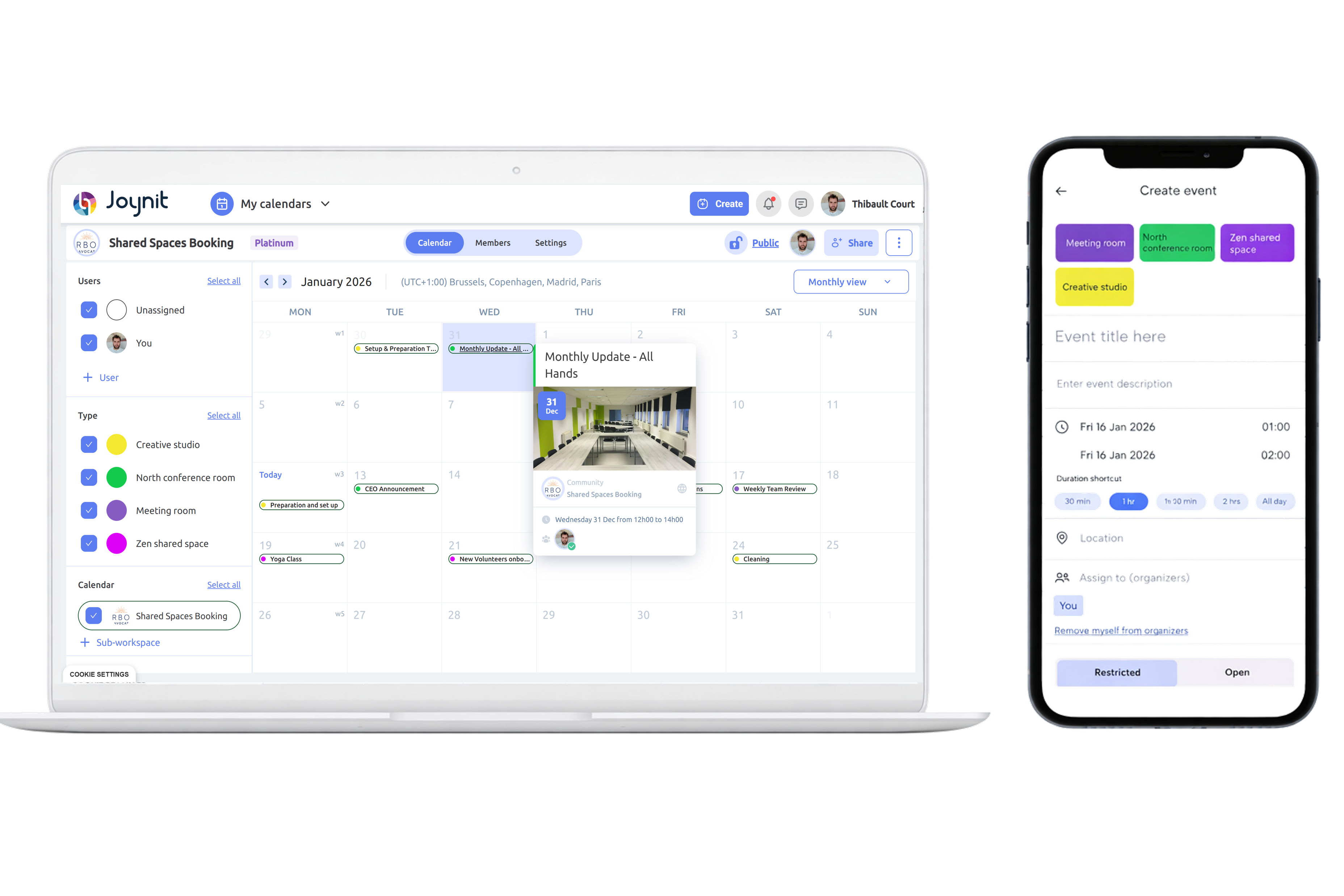
A shared calendar is used in a wide variety of situations.
Depending on the context, it helps plan people, resources, locations, or events — while maintaining a clear, shared view of schedules.
Rather than serving a single purpose, a shared calendar acts as an organizational foundation on which different concrete use cases can be built.
The diversity of use cases shows that a shared calendar is not just a calendar, but an adaptable tool that evolves with an organization’s needs.
👉 Depending on the audience (businesses, nonprofits, local organizations), use cases may vary — but the core principle remains the same: centralize, coordinate, and share information.
Tools like Google Calendar or Outlook are built around a simple logic: they are designed for one individual user, and only shared afterward with others.
At the core, these tools remain tied to an owner account. Sharing mainly provides visibility, but does not structure organization at a collective level.
By contrast, a shared calendar is designed from the start as a collective object.
It doesn’t belong to one person, but to a team, a service, or an organization.
Events, time slots, and resources are created as shared objects, associated with people, locations, and roles. This approach enables coherent, scalable collective scheduling, without relying on a single “owner” user.
📌 Collective object by design
Personal calendars are created for one user and shared later.
A shared calendar is designed from the start as a collective object, independent of individuals and attached to a team or organization.
👥 Clear roles and structured organization
A shared calendar allows multiple user roles (admin, editor, viewer), enabling efficient coordination.
Personal calendars offer limited role management.
🏢 Built for real organizational use cases
A shared calendar is designed to manage rooms, field operations, shifts, appointments, and events — not just meetings.
It adapts to the operational needs of businesses, nonprofits, and local organizations.
🔄 Clear and reliable information flow
All data is centralized, structured, and updated in real time, reducing errors, duplicates, and information loss.
👉 A shared calendar is not a personal calendar that you happen to share.It is a tool designed to structure collective organization, taking into account roles, resources, and real-world use cases.


Not all shared calendars are created equal. To truly meet the needs of an organization (business, nonprofit, or local organization), a shared calendar must go beyond simply displaying dates.
Here are the essential criteria to consider
📱 Accessible on mobile and on all devices
A shared calendar should be easy to view and use on desktop, smartphone, and tablet — without limitations depending on the device.
📧 Compatible with all email addresses
The tool should not be locked into a single ecosystem.
A good shared calendar works with any email address, whether personal or professional.
🔓 Accessible without mandatory sign-up
Viewing or participating in events on a shared calendar should be simple, without forcing users to create an account.
⚙️ Customizable to your needs
Reminders, notifications, access rights, and visibility rules should be adjustable to match the organization’s workflows and use cases.
🗓️ Multiple calendar views available
A good shared calendar offers different views — day, week, month, timeline, or map — to adapt to different contexts and planning needs.
🧩 More than just appointments
An effective shared calendar allows events to include useful information such as documents, discussions, comments, polls, or additional details — all in one place.
❓ What’s the difference between a shared calendar and a collaborative calendar?
The two terms are often used interchangeably.
In practice, a shared calendar usually refers to a tool designed for collective organization, while a collaborative calendar can simply mean a shared view of schedules.
A true shared calendar goes beyond visibility and is built to structure coordination between people, resources, and roles.
❓ Is a shared calendar only for businesses?
No. A shared calendar is used not only by businesses, but also by nonprofits, local organizations, communities, and groups whenever there is a need to coordinate people, locations, or resources.
❓ Can you use a shared calendar without creating an account?
Yes. Some shared calendars allow users to view or participate without signing up, using a link or access rules defined by the organization.
❓ Is a shared calendar accessible on mobile?
A good shared calendar is accessible from a computer, tablet, or smartphone, with real-time synchronized information across all devices.
❓ Can a shared calendar manage more than just appointments?Oui. Yes. A shared calendar can manage events, room bookings, field operations, shifts, on-call duties, as well as associated documents and discussions.