An online calendar for teams and groups is a shared calendar that allocates people, resources, and time slots, which several users can view and update from one place. It answers a specific question: who is doing what, when, and with what resources.
Unlike an Excel spreadsheet sent by email, it is designed to be edited by several people and viewed in real time: an assignment changed by the organizer is immediately visible to the person concerned, on desktop and mobile, with no login needed to view.
In practical terms, an online calendar lets you:
👥 Assign the right people to the right slots by viewing their availability
🏢 Plan resources (rooms, vehicles, ...) without double bookings
⚠️ Detect conflicts before they happen, thanks to automated alerts
📱 Keep everyone informed in real time about what concerns them, without the need for follow-ups
Planning is more than just appointments. Depending on the organization, it is used to allocate:
👉 It is this ability to allocate and assign, rather than just display dates, that turns a simple online calendar into a real planning tool.


An online calendar planner is based on a simple logic: you define who can be planned and on what, then you assign. The tool takes care of checking that the assignment is possible and informing the people involved.
In practice, planning with Joynit involves five steps:
🗓️ Creating the calendar
A calendar is created for a team, department, project, or location. It can involve people, resources, or both.
👥 Adding people and resources
Each member, room, vehicle, or piece of equipment becomes a row in the calendar, with its own availability.
✍️ Slot assignment
The organizer places tasks, shifts, or appointments directly on the correct row using drag-and-drop. A single slot can involve multiple people and resources.
⚠️ Conflict alerts
If a slot overlaps with another assignment, or if the person is absent or unavailable, the calendar flags it immediately. Two distinct alerts: slot conflict and unavailability.
🔔 Real-time notification and consultation
Assigned individuals are notified. Everyone can view their up-to-date calendar from a computer, tablet, or smartphone with no login needed.
The same calendar can be read in several ways depending on the need:
👉 It is the combination of assignments, alerts, and views that transforms a simple shared calendar into a real online calendar planner.
When a calendar is shared with ten, twenty, or fifty people, showing the whole thing to everyone is counterproductive: each person has to search for their own row among the others, reading errors increase, and changes made by some clutter the view for others.
A well-designed online calendar therefore separates two levels of access:
👤 The member view
Each person sees only the slots that concern them: their tasks, shifts, or appointments. They access it from their phone, receive a notification when something changes, and can add information if they have the necessary permissions. Nothing else clutters their day.
🧭 The organizer view
The calendar administrator sees the big picture: all rows, all resources, availability, and conflicts. This is the view from which they assign, move, and make decisions. They can also delegate a specific scope to a team or department manager, who will only see their own group.
A coordinator manages the shifts of fifteen volunteers for a weekend event. In their view, they see the whole weekend, spot the uncovered slots, and assign people. Each volunteer, meanwhile, opens the app and sees only their own shifts, with the location, the contact, and what to bring. If a shift moves, they are notified. No one needs to call anyone.
👉 Showing everyone exactly what they need, nothing more and nothing less, is what makes an online calendar truly usable on a daily basis.

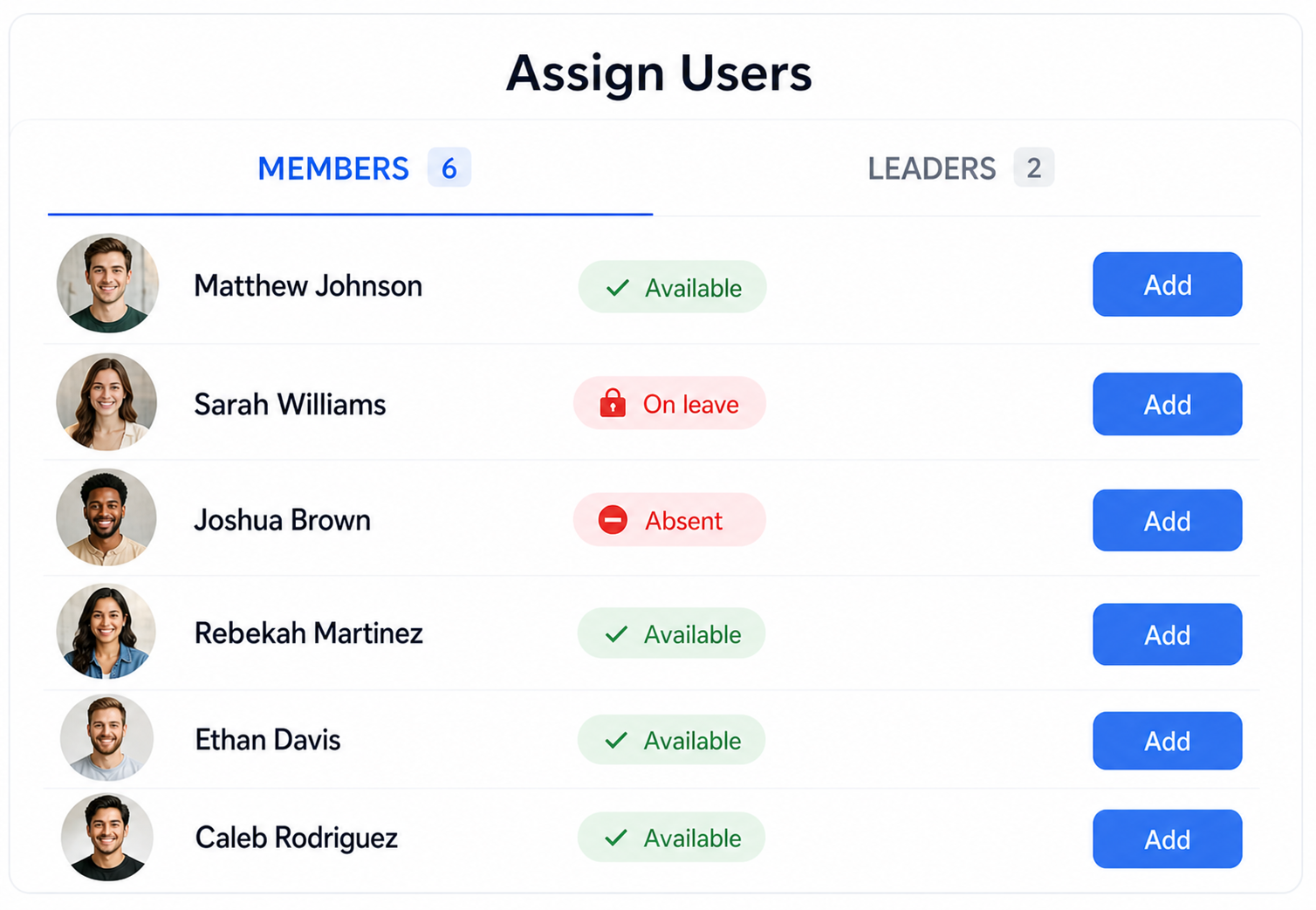
The primary problem with a calendar on Excel or paper isn't building it, it's maintaining it. A time off request, a sick day, training, a vehicle out of service: every change in availability renders part of the calendar obsolete, and the person who built it often only finds out after the fact.
An online calendar planner solves this problem at the source by making availability a core component of the calendar itself, rather than information kept on the side.
This is precisely what distinguishes an online calendar planner from a simple calendar: a calendar notes that something is taking place; a planner verifies that the people and resources required will actually be there. Without integrated availability, you are just displaying intentions. With it, you are planning.
👉 You assign tasks faster, with fewer errors, and you no longer find out about absences after the fact.
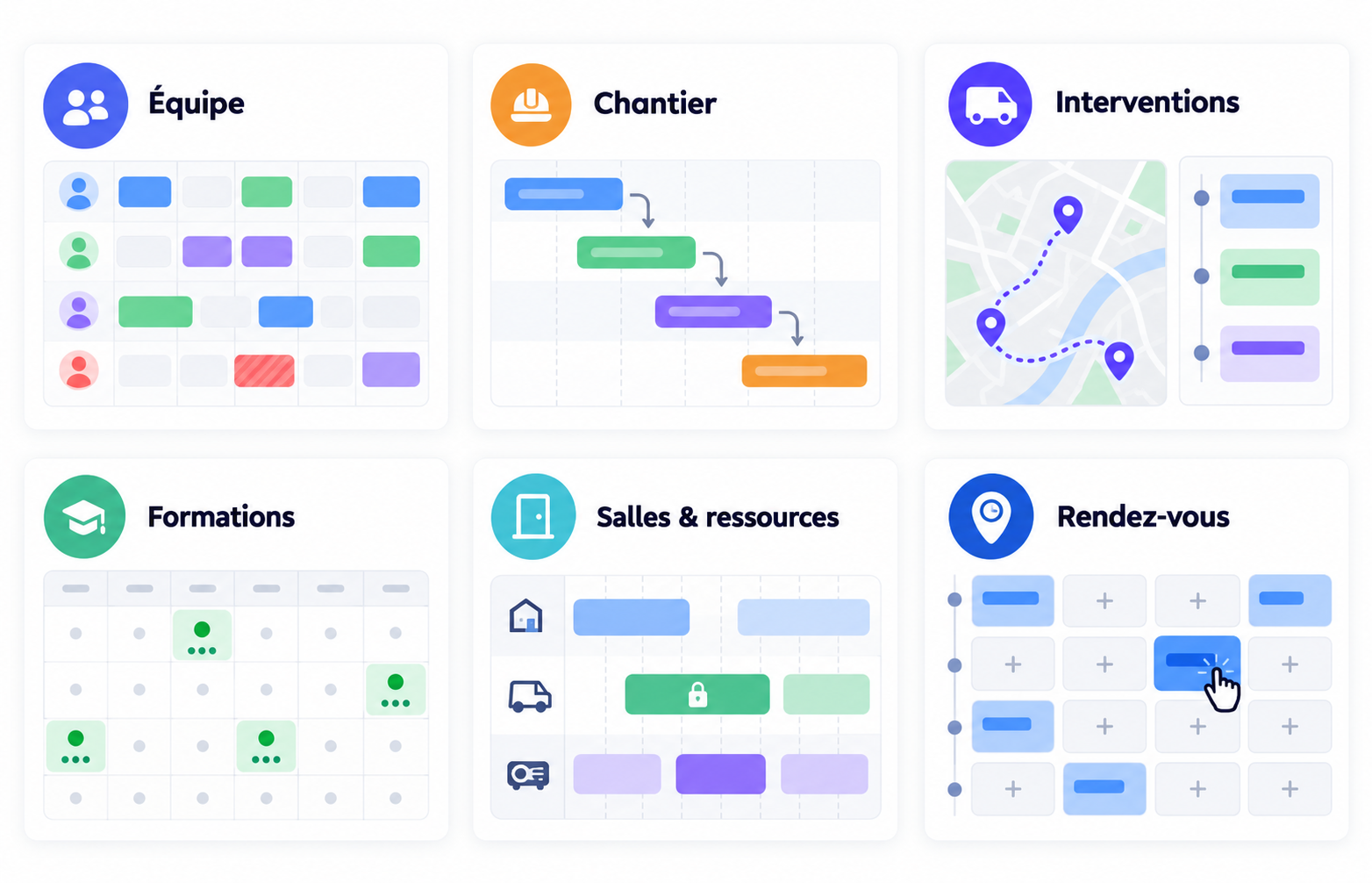
An online calendar looks different depending on what it is organizing: people, volunteers, rooms, or time slots open to the public. The principle remains the same (assign, check, inform) but the view and the rules change.
Here are the most common uses, each with a dedicated page:
👥 Team calendar (Discover the team calendar)
Attendance, shifts, remote work, and leave in a shared view. Each member sees their own slots, while the manager sees the team's workload.
🙋 Volunteer calendar (See volunteer scheduling) Shifts, events, and who’s covering what. Volunteers sign up for open slots and see only what they committed to.
🎉 Event calendar (See the event calendar)
Plan events, sessions, and the people running them, and share the program with participants via a link.
🏢 Room and resource calendar (View room booking)
Book rooms, vehicles, and equipment without double-booking, and give everyone visibility into availability.
📍 Appointment calendar
Plan appointments manually, or open time slots that clients and members can book themselves via a booking portal. Both feed into the same calendar.
🔧 Field team calendar
Assign the day’s work, share addresses and documents, and let each person see their schedule on mobile.
An organization rarely has just one thing to plan: a nonprofit runs its volunteers, its events, and its rooms all at once; a small business manages its staff, its appointments, and its equipment. Keeping it all in one tool avoids double entry and lets you see everything assigned to a person in one place.
👉 Depending on the organization, usage varies, but the principle remains the same: assign, check availability, and keep everyone informed of what concerns them.
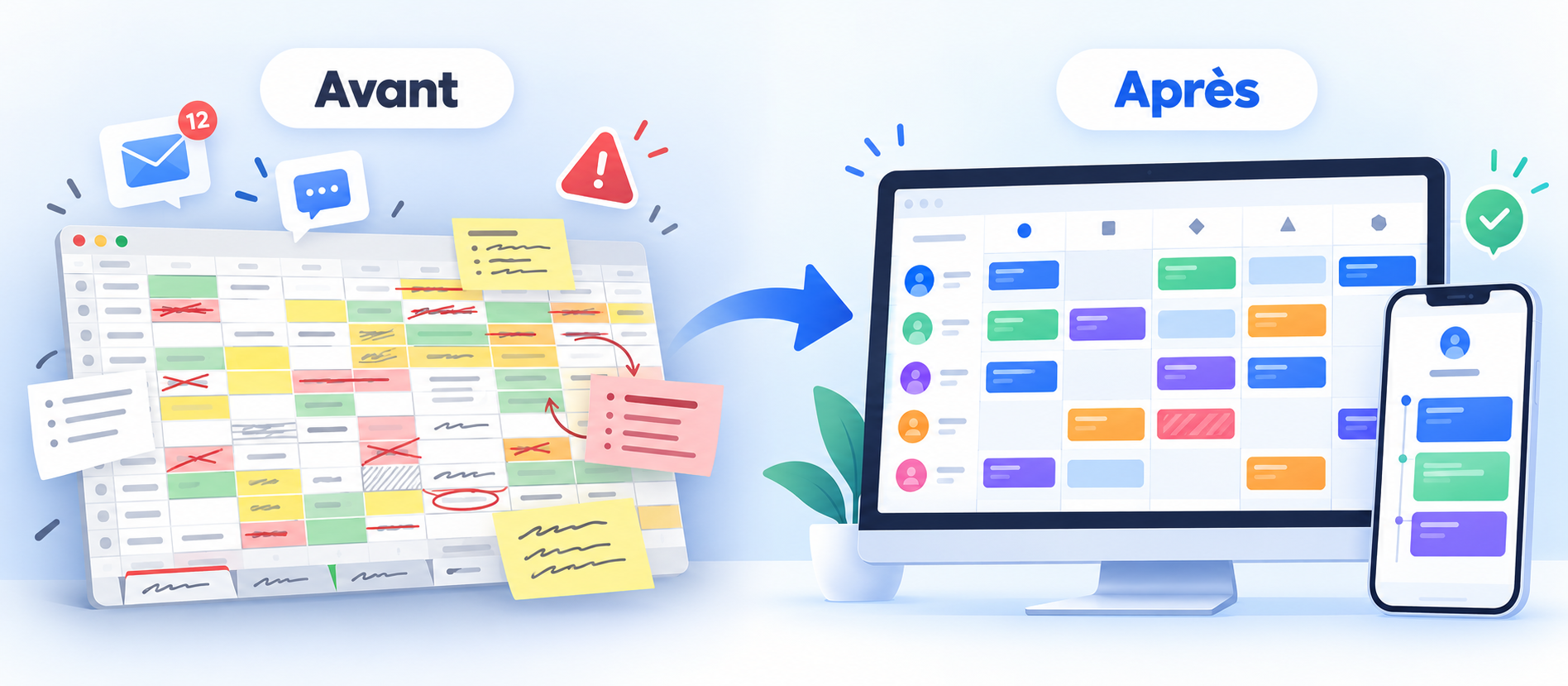
Many organizations start with a shared Excel spreadsheet. It has real merit—everyone knows how to open it—but it quickly reaches its limits as soon as multiple people need to edit it, view it on the go, or rely on it daily.
Not all online calendars are created equal. For a business, a nonprofit, or a community group, here is what an online calendar for teams and groups should offer:
👥 Resource-based view
One line per person, room, or vehicle, to see workloads and availability at a glance.
🌴 Integrated absences
Vacation, training, and resource unavailability: entered into the tool and factored into assignments.
⚠️ Conflict and unavailability alerts
The tool should warn you before allowing an impossible assignment to be confirmed.
🔐 Role-based permissions
Everyone sees their own calendar, organizers see everything, and managers oversee their own group.
📱 A real mobile app
View and edit from the field, receive notifications, and skip the computer.
❓ What is the difference between a shared calendar and an online calendar planner?
A shared calendar centralizes events visible to everyone. An online calendar planner goes further: it assigns people and resources to time slots, checks their availability, and shows everyone what concerns them. A calendar shares dates; a planner distributes work.
❓ Do members see the entire calendar?
No, unless the organizer chooses otherwise. By default, each member only sees their own slots; the organizer and designated managers see their entire scope.
❓ Can time off and absences be managed in the online calendar?
Yes. Time off requests and unavailability are entered into the calendar and taken into account during assignment, with an alert if an absent person is assigned.
❓ Can the calendar be exported to Excel?
Yes, at any time, for payroll, a client, or printing. The online calendar remains the master version; the export is simply a snapshot.
❓ Can clients book appointments online?
Yes. You can plan appointments yourself or open up time slots for clients and members to book via a booking portal. In both cases, they appear on the same calendar.
❓Is Joynit a free online calendar?
Yes. Joynit is free for small groups, with no login needed to view a shared calendar. Organizers use it as a calendar planning tool to assign people, check availability, and manage time off. Premium plans add more calendars and organizers, one flat price per organization.