Shared Calendar for Communities: Best Tools in 2026
Thibault Court
Shared Calendar for Communities: Best Tools in 2026
A shared calendar has become essential for efficiently organizing team work, association life, or community coordination. It allows multiple people to view, create, and edit shared events in the same space, in real time.
👉 If you are looking for a shared calendar for communities that is simple, collaborative, and truly adapted to collective use, Joynit is a solution designed specifically for this purpose.
What Is a Shared Calendar?
A shared calendar is an online agenda accessible to multiple users, allowing events, availability, and schedules to be centralized in one place.
Unlike a personal calendar, it is:
Collaborative
Updated in real time
Instantly synchronized for all participants
A shared calendar can be used by:
A work team
An association or nonprofit
An informal group
A community managing shared resources (rooms, equipment, duty shifts, etc.)
What Is a Shared Calendar Used For?
📅 Shared Calendar for a Team
For a team, a shared calendar makes it possible to:
Schedule meetings and appointments
Visualize absences and availability
Coordinate projects
Avoid scheduling conflicts
It is a key tool for improving internal communication and saving time.
🤝 Shared Calendar for a Nonprofit
Associations use a shared calendar to:
Organize events
Manage on-call duties or shifts
Coordinate volunteers
Share a clear schedule with all members
A shared calendar for nonprofits ensures everyone stays aligned without friction.
👥 Shared Calendar for a Collective or Community
Within a collective, a shared calendar becomes a central coordination hub:
Everyone knows what is planned
Information is accessible without endless messages
Organization becomes smoother and more transparent
This is exactly why a shared calendar for communities is so valuable.
🏢 Resource and Room Management
A shared calendar is also widely used to:
Book rooms
Manage shared equipment
Plan the use of common resources
How Does a Shared Calendar Work?
The typical workflow is simple:
Calendar creation
One shared calendar or multiple calendars
Event creation
Dates, times, descriptions
Sharing
Via link or invitation
Permission management
View-only or editing rights
Notifications
Automatic reminders for participants
The best shared calendar tools are accessible via browser and mobile, without complex installation.
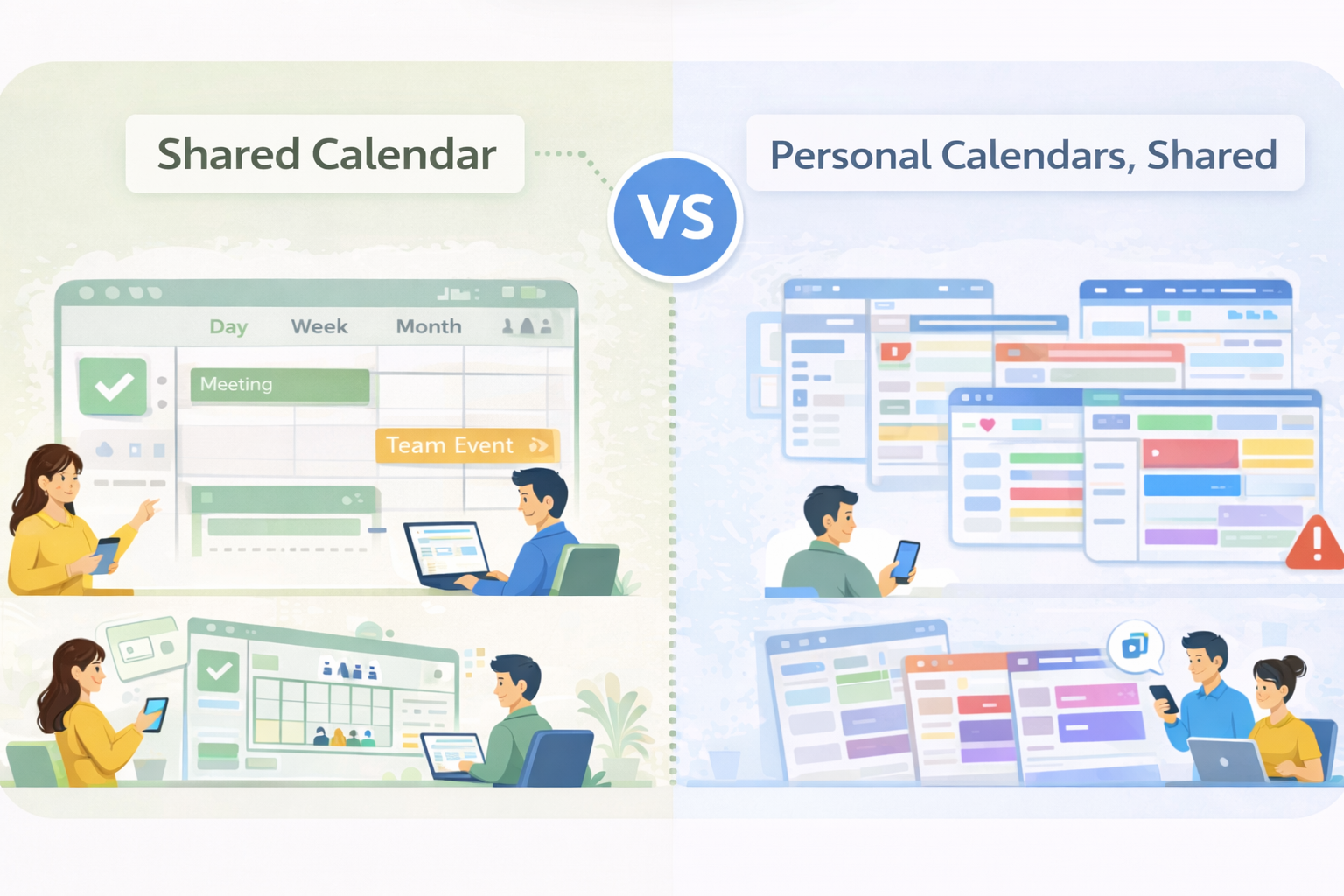
Shared Calendar vs. Shareable Calendars: A Subtle but Important Difference
To be truly effective, a shared calendar for communities should offer:
✅ Link-based sharing ✅ Easy permission management ✅ Day / week / month views ✅ Notifications and reminders ✅ Fast event creation and editing ✅ Mobile access ✅ Clear and intuitive interface ✅ Responsibility assignment and participation tracking
This is where specialized tools stand apart from general-purpose calendars.
In reality, there are two main categories of solutions:
Native shared calendars, designed from the ground up for collaboration, with a common space where multiple users act on the same calendar.
Individual calendars that can be shared, such as Google Calendar or Outlook, which remain primarily designed for personal use.
For teams, nonprofits, and groups choosing a true shared calendar for communities makes a decisive difference in coordination and engagement.
Shared calendar vs personnal calendars that can be shared
Why This Design Difference Matters
This difference in design leads to major functional implications.
For example, in a true shared calendar, it is possible to create an event and assign it to one or several people. This logic is natural in a collective workspace, but impossible in a simply shared personal calendar, where each event always remains attached to a single owner.
Another key difference is event participation management.
A shared calendar allows organizers to manage participants, set capacity limits, and track confirmations. These features are essential for teams, nonprofits, and communities, yet they are generally missing from personal calendars—even when those calendars are shared.
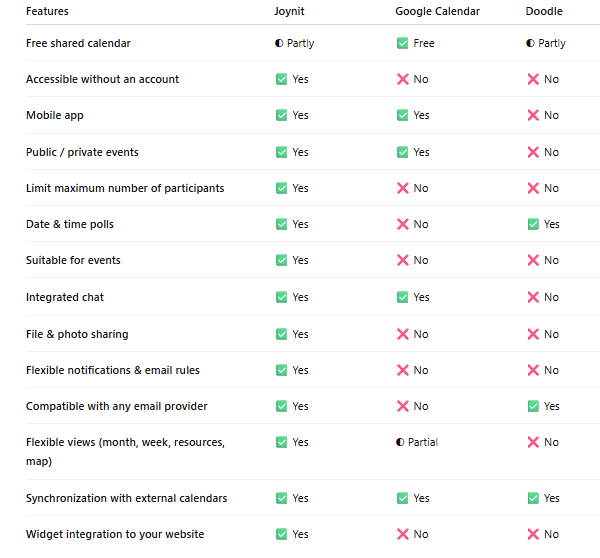
Joynit belongs to category (1): native shared calendars. Google Calendar and Outlook belong to category (2): individual calendars that can be shared for viewing or limited editing.
In addition, both Google Calendar and Outlook require every user to have a Google or Outlook email account. In many real-world community scenarios, this is simply not possible.
By contrast, Joynit allows both read and write access to a shared calendar using any email address, making it far more inclusive and flexible for communities.
What Is the Best Shared Calendar in 2026?
There are many shared calendar solutions available, but they do not all serve the same needs.
🗂️ Built-in Calendars (Google Calendar, Outlook)
Advantages
Widely known and adopted
Convenient for personal scheduling
Limitations
Poorly adapted to communities and groups
Permission management can be complex
Not designed for nonprofits or community organizations
Limited collaboration and participation features
These tools were built first and foremost as personal calendars, not as a shared calendar for communities.
⭐ Specialized Tools Like Joynit
Dedicated shared calendar tools offer:
A truly collaborative model
Fast onboarding for groups
Better collective organization
Clear ownership and responsibility assignment
👉 Joynit was designed specifically for:
Teams
Nonprofits
Collectives
Communities
With a simple, collaborative approach and strong respect for data privacy, Joynit fits the real-world needs of a shared calendar for communities in 2026.
A collective-first vision, not an individual-centric calendar
A solution designed natively for groups and organizations
Compliance with European data protection standards (GDPR)
Joynit is an ideal choice if you are looking for a reliable and collaborative online shared calendar, without unnecessary complexity.
👉 Creating a shared calendar with Joynit allows you to centralize the entire organization of a group or community in a single space—making it a powerful shared calendar for communities in 2026.
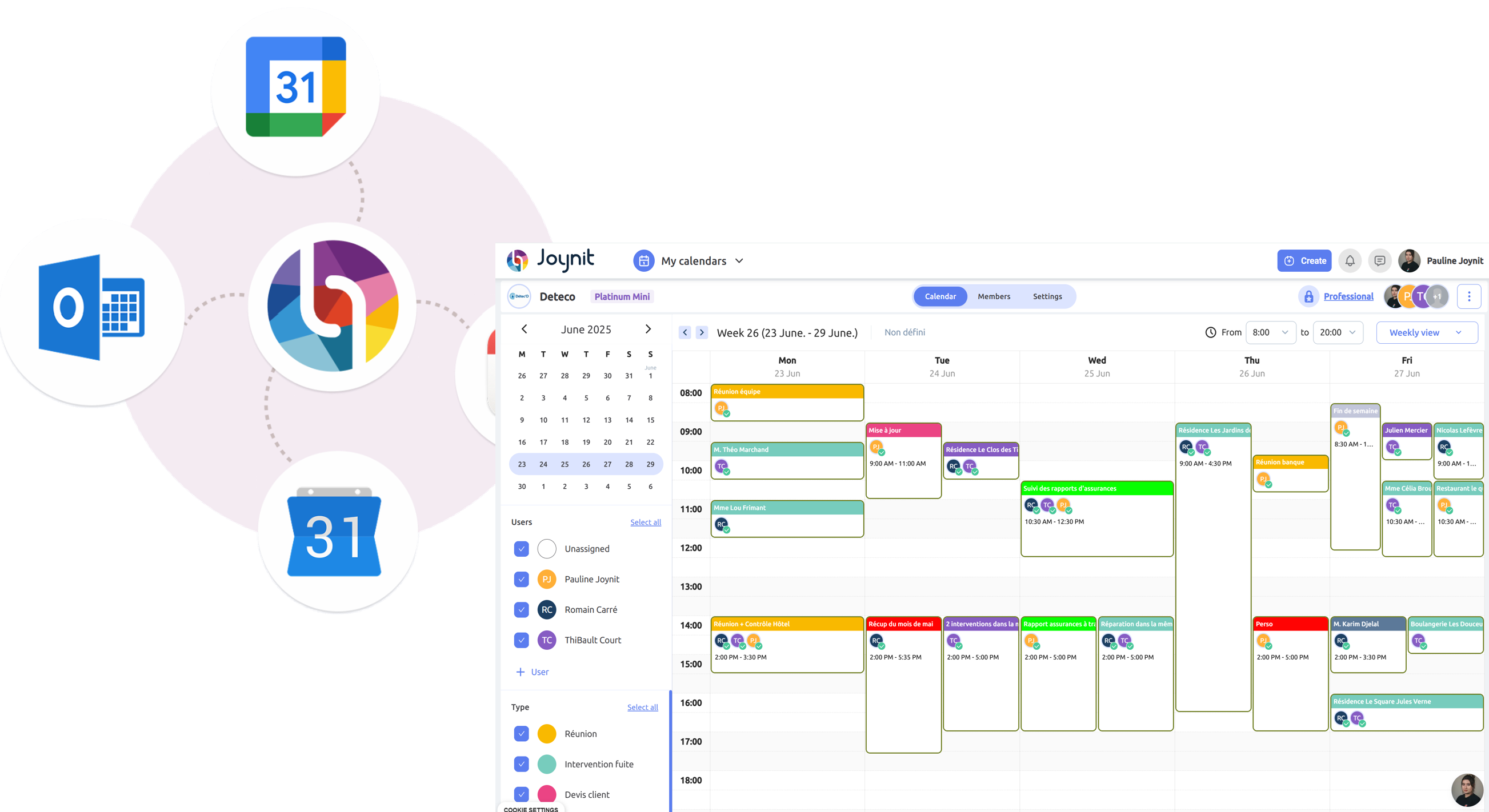
Calendrier Partagé Joynit - Synchronisé à Google Calendar et Outlook
FAQ – Shared Calendar
What Is a Shared Calendar?
A shared calendar is an online agenda that multiple people can access to organize common events and schedules.
What Is the Best Free Shared Calendar?
It depends on your use case. For communities and nonprofits, a dedicated solution like Joynit is often more suitable than a general-purpose personal calendar.
Can You Share a Calendar Without Creating an Account?
Yes. Some tools allow calendar sharing via a simple link, making access easier for all members.
Google Calendar or Joynit?
Google Calendar is convenient for personal scheduling, while Joynit is designed for clear, collaborative, community-based organization.
Is There a Shared Calendar for Nonprofits or Communities?
Yes. Joynit is particularly well suited for nonprofits, collectives, and communities looking for a true shared calendar for communities.
Conclusion
The shared calendar has become an essential tool for organizing collectively. Whether for a team, a nonprofit, or a community, choosing a solution truly designed for collaboration makes all the difference.
👉 Joynit offers a simple, effective solution tailored to the real needs of modern organizations—and stands out as a powerful shared calendar for communities in 2026.