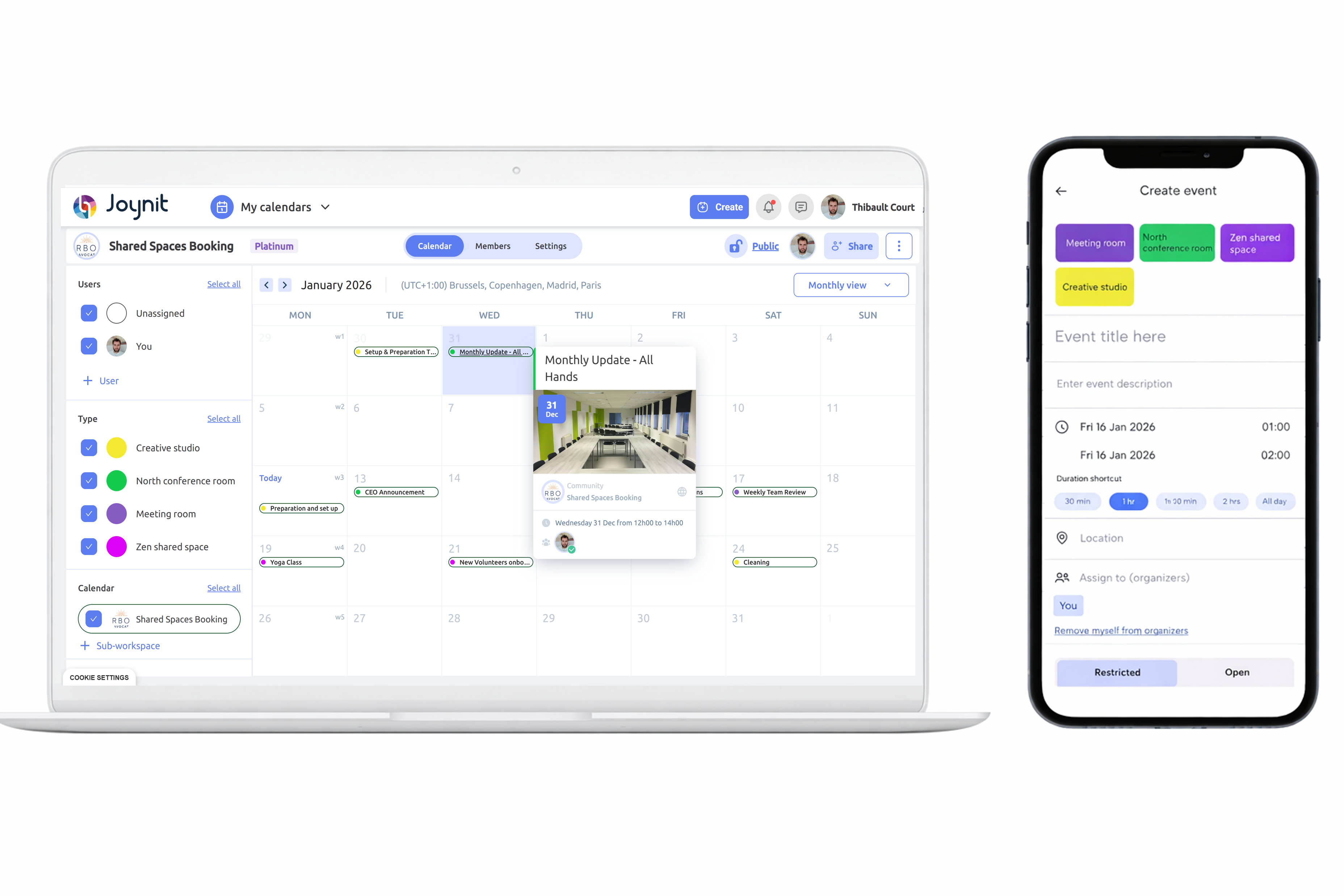
Shared Calendar for Room Availability: Improve Visibility and Access
Thibault Court
July 7, 2025
Shared Calendar for Room Availability: Simplify Booking and Visibility
Shared calendar - room and shared space availability - with validation
Introduction
In companies, town halls, coworking spaces, or community organizations, managing meeting rooms and shared spaces can quickly become a challenge: double bookings, lack of visibility, forgotten reservations, or misunderstandings between teams.
A shared calendar for room availability solves these issues by providing a single, clear view of who is using what, and when.
In this article, discover how to manage room bookings efficiently, best practices to follow, and why a shared calendar is the simplest way to improve visibility and access to shared spaces.
1. Why a Shared Calendar for Room Availability Is Essential
A shared booking calendar allows organizations to:
See room availability in real time
Avoid double bookings and conflicts
Centralize all reservations in one place
Improve visibility across teams and users
Reduce emails and back-and-forth messages
Save time every day
Instead of spreadsheets, paper schedules, or scattered emails, a shared calendar for room availability provides instant clarity for everyone using the same shared space.
2. Choose a Tool Designed for Shared Spaces
To manage meeting rooms or shared spaces effectively, your tool should be:
Accessible on desktop and mobile
Easy to understand, even for non-technical users
Built around visibility first
Able to manage different access levels (view, book, manage)
Offering clear calendar views with colors or room labels
Sending notifications or alerts when bookings change
💡 Tip: Joynit was designed specifically for collaborative scheduling and room availability, making it ideal for teams and organizations managing one or multiple shared spaces.
3. Structure Your Shared Space Calendar
Before launching your shared calendar, take a moment to structure it properly:
List all rooms or shared spaces (meeting rooms, training rooms, coworking areas)
Decide whether approvals are needed for certain reservations
Assign one or more administrators if required
This preparation ensures clear visibility and avoids confusion as usage grows.
4. Make Access Easy for All Users
A shared calendar only works if people actually use it.
To encourage adoption:
Introduce the calendar to all users early
Explain simple booking rules (cancellations, maximum duration, priorities)
Allow users to book rooms autonomously
Provide a clear point of contact if issues arise
Encourage adding details to events (purpose, participants, room setup)
Easy access and consistent usage are key to making a shared calendar for room availability effective.
5. Improve Visibility Over Time
Room usage evolves. Your shared calendar should evolve too:
Adjust booking rules if some rooms are overused
Add new shared spaces as needed
Analyze booking patterns to improve availability
Integrate the calendar into daily routines (weekly planning, reminder emails)
A well-maintained calendar becomes a reliable reference point for all shared spaces.
Conclusion
Implementing a shared calendar for room availability is one of the simplest and most effective ways to improve visibility, reduce friction, and ensure easy access to shared spaces.
💻 With a solution like Joynit, organizations benefit from:
A clear view of room availability
A collaborative approach to shared space management
A tool that is easy to deploy and intuitive for all users
➡️ Discover Joynit’s room booking calendar — the ideal solution for organizations looking to manage a shared space, improve room availability visibility, and simplify collaborative scheduling.