An Alternative to Google Calendar and Excel for Scheduling Teams, Volunteers, and Communities
Thibault Court
January 4, 2025
An Alternative to Google Calendar and Excel for Scheduling Work, Volunteers, and Community Events
Most organizations rely on either Google Calendar or Excel to manage schedules. One is easy to access but quickly becomes rigid. The other is flexible but not designed for real-time collaboration.
When it comes to organizing schedules, most teams and communities rely on the same two tools: Google Calendar or Microsoft Excel. Google Calendar is free and easy to access. Excel is flexible and powerful. Yet neither was designed to manage real-life scheduling across teams, volunteers, and communities.
As a result, organizations constantly compromise: clarity versus flexibility, accessibility versus control. This is why many are now looking for a better alternative to Google Calendar and a true alternative to Excel for scheduling events—one that combines the strengths of both without their limitations.
Comparing strenghts and weaknesses for scheduling events and works
When teams and communities rely on Google Calendar or Excel, they often end up compromising between simplicity and flexibility. To better understand the strengths and limitations of each option, here’s a clear comparison of the three most common scheduling tools.
Excel, Google Calendar and Joynit for community events organizatino
Google Calendar: Free, but quickly limiting
Google Calendar is often the default choice. It’s free, familiar, and works well for personal use or small teams. But once schedules involve multiple people, recurring activities, or different levels of access, problems start to appear.
To collaborate effectively, everyone needs a Google account. Managing permissions becomes complex. Views get crowded as events multiply. For work schedules, volunteer coordination, or community activities, the calendar can quickly feel chaotic.
Google Calendar was designed for meetings and professional invitations—not for collective scheduling at scale. This makes it a weak long-term solution for organizations that rely on shared visibility and easy participation.
Excel: Extremely Flexible, but Not a Calendar
On the other end of the spectrum, Excel is incredibly flexible. You can structure data however you want, customize columns, manage availability, and adapt the file to almost any use case. This is why many teams still use spreadsheets to organize shifts, volunteers, or events.
But Excel is not an interactive calendar. It lacks a real agenda view, real-time collaboration, notifications, and simple access control. Files are shared by email, duplicated, and quickly become outdated. What starts as a flexible solution often turns into a manual and fragile system.
Excel works well for data—but poorly for scheduling people.
Google Calendar vs Excel: finding a better scheduling alternative
Why Teams Need Something in Between
Most organizations don’t need more complexity. They need the flexibility of Excel combined with the clarity of a calendar.
This gap explains why so many people search for an alternative to Google Calendar or an alternative to Excel for scheduling events. The ideal tool should allow flexible organization while remaining easy to read, easy to share, and easy to adopt.
A Flexible Calendar Designed for Real-World Scheduling
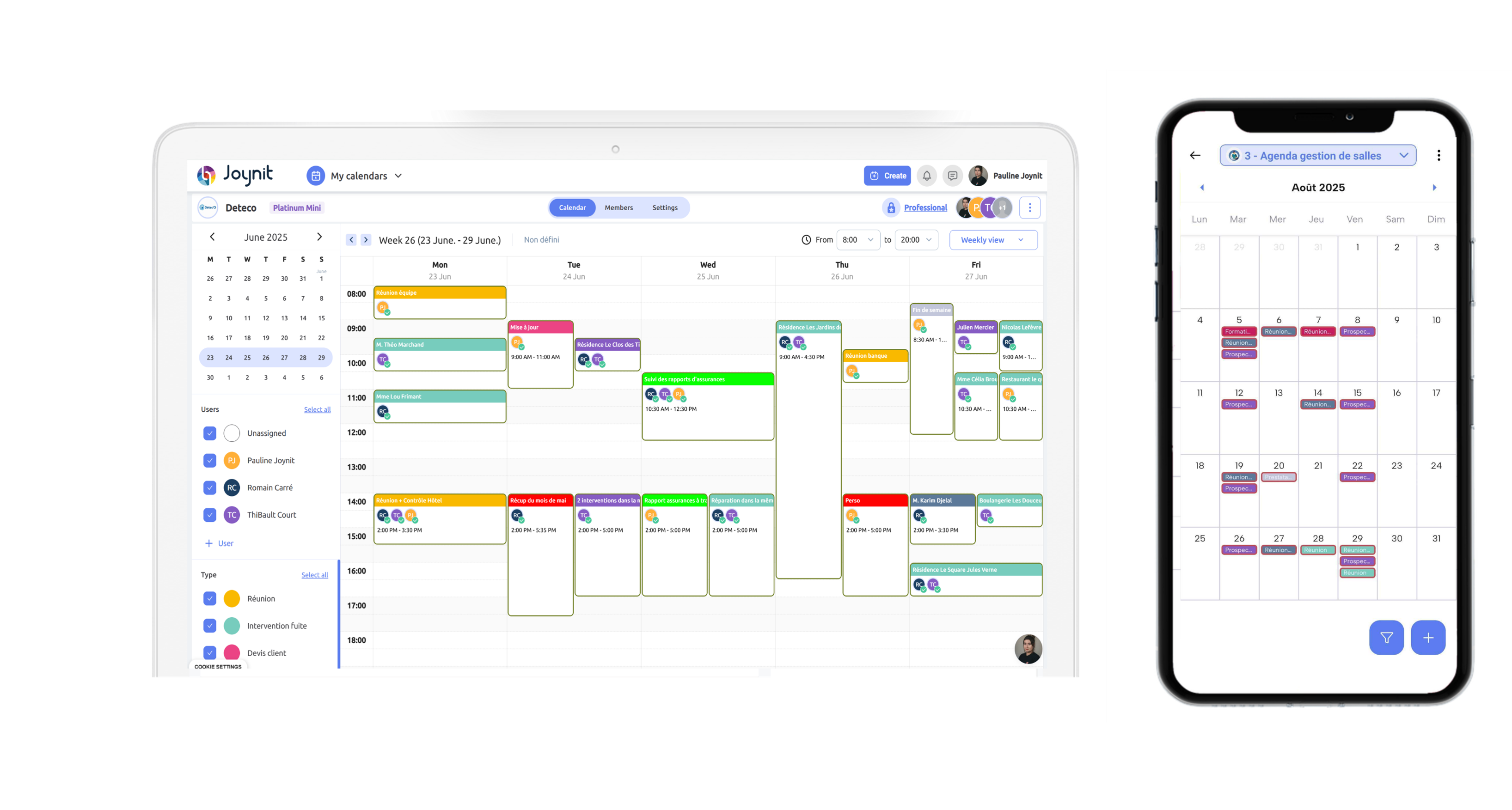
A modern scheduling tool should behave like a spreadsheet when it comes to flexibility—but look and feel like an agenda.
With Joynit, events are structured yet adaptable. You can organize schedules visually in calendar views (monthly or weekly), while keeping the flexibility to manage different types of activities: work shifts, volunteer slots, or community events.
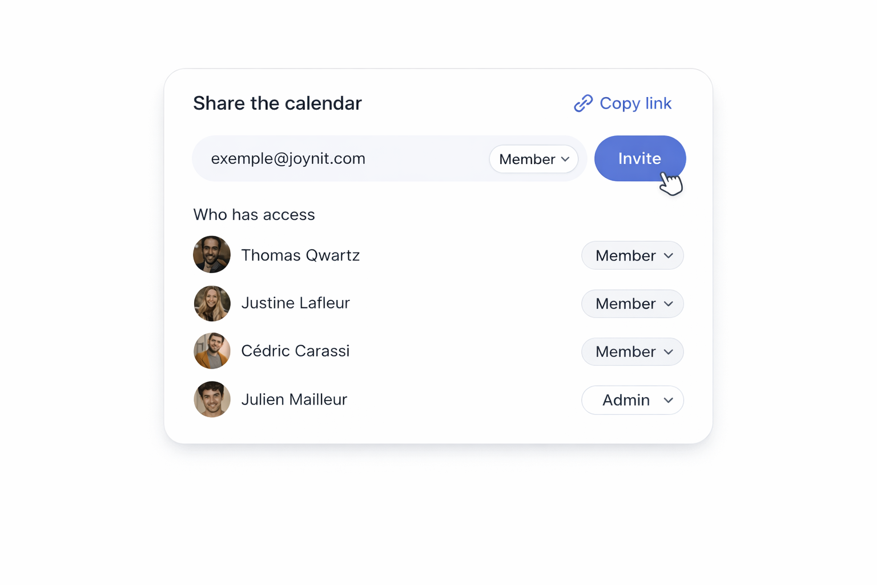
Access management is intentionally simple. Organizers manage events and permissions, while participants can view schedules and join activities without creating an account. A single shared link is enough.
This removes friction entirely—especially for volunteers or community members who may not be comfortable with traditional office tools.
Shared calendar alternative to excel
One Tool for Multiple Use Cases
Work Schedules
Teams can manage shifts, rotations, and shared availability in a clear agenda view, without endless spreadsheet updates or meeting invitations.
Volunteer Scheduling
Volunteers can easily see upcoming activities, choose time slots, and stay informed through notifications—no account required.
Community Events
Events can be shared publicly or privately, embedded on a website, and accessed from any device. Everyone sees what’s happening, when, and where.
Why Ease of Adoption Matters More Than Features
The most powerful tool is useless if people don’t use it.
Office-oriented tools like Google Calendar or Excel assume a level of technical comfort and structured workflows. Community-oriented calendars focus instead on accessibility, clarity, and immediate understanding.
A shared calendar that people can open instantly—on mobile, without setup or training—is far more likely to succeed. This is where Joynit stands out as a practical alternative to both Google Calendar and Excel.
Manage access of shared calendar
Conclusion
If you’re hesitating between the rigidity of Google Calendar and the complexity of Excel, it may be time to choose a different approach. A flexible, interactive calendar designed for collective use can replace both—without forcing trade-offs.
Joynit brings together the flexibility of spreadsheets, the readability of an agenda, and simple access management, making it a strong alternative to Google Calendar and an effective alternative to Excel for scheduling events across teams, volunteers, and communities.